This week I'm featuring Best of Really? posts from the 2011 archives:
Because you have a computer you are in the Top 12%.
Internet access puts you in the Top 4%.

Showing posts with label internet. Show all posts
Showing posts with label internet. Show all posts
Monday, September 26, 2011


Thursday, July 28, 2011
A Career Adjustment


Thought I'd take a moment and let you know what I've done this summer in case you missed the announcement a few weeks ago.
After 8+ years working in sales and management with the Summit City Radio Group of stations in Fort Wayne, Indiana, I decided to accept an offer from Cirrus ABS, also headquartered in Fort Wayne.
This new opportunity is wide open as I help Cirrus find clients for their Net-Centered Marketing Agency.
Every year, while working in the radio business, I had people contact me asking me if I would consider working for them, and I always said no thanks.
This time was different.
I get to apply my marketing consulting background to the web world and help businesses and organizations find solutions that are cost effective and make good strategic sense.
I don't need to know how to write code to build websites, because we have 30 others at Cirrus ABS who handle those details.
I'm here to to act as an interpreter between the geeky-tech world and your business world.
Quite frankly, it is amazing.
I'm also in my 5th year on the Board of Directors for the Advertising Federation of Fort Wayne and involved with multiple other volunteer organizations.
Anything I can do to help? Just ask.
And please think of me first when you are needing anything web related.
My contact info is:
SHoward@CirrusABS.com and 260-255-4357
Friday, June 17, 2011
Fort Wayne Site of the Day

Okay, My Fort Wayne site of the day isn't random. Today I wrap up 8+ years of working in advertising sales and marketing at a fine group of radio stations and starting Monday I officially am a part of the team at today's site of the day. Click on Pic.
Tuesday, May 31, 2011
The Rest of ScLoHo

Every once in awhile I need to remember to share a little more about this website and myself than I usually do.
You are currently on my personal website that I started several years ago as a blog to share some random thoughts with friends and family.
These days I update this site (http://www.sclohoreally.com/) twice a day.
At 6 in the morning I feature a link to another Fort Wayne area website.
At 4:08pm I post an afternoon update that varies depending on what is on my mind, what I've read, or what I have found online.
There are a few other websites that I own, edit and manage including a couple on Media, Marketing, Advertising and Sales.
ScLoHo's Collective Wisdom http://www.sclohocollectivewisdom.com/is updated 3 times a day, 7 days a week with articles that I have collected from others that have bits of marketing oriented wisdom.
The Not-So-Secret Writings of ScLoHo http://www.scloho.info/is the book that my wife asked me to write a couple years ago, and instead I started another website that is updated every Tuesday morning at 7am with another chapter.
ScLoHo's Social Media Adventure http://www.sclohosocialmediaadventure.com/ is the site that is devoted to Social Media which I launched 5 months ago with updates at noon, 5 days a week.
I also have a home page which also has connections to my LinkedIn and Twitter profiles at http://www.scloho.net/
And for those folks who are on Tumblr, I have a Tumblr account that all of my blog site postings appear on = http://scloho.tumblr.com/
Tuesday, March 15, 2011
Tech Tuesday Tip

Update your stuff.
Your computer is a combination of stuff.
To keep it simply, I'll call it hardware and software.
Hardware is the physical stuff that you can touch, like the keyboard, mouse and also the stuff you are likely going to touch inside the computer like the hard drive, and all that electronic stuff.
Software is the programs that you use. They need regular updates.
Today, I have links to the very basics of using the internet, Browsers.
If you use Internet Explorer, you should be using version 8 or 9. Stop using version 6, version 7 is still okay, but you might as well have the latest and greatest since it is free. Click here.
Now if you really want the latest and greatest, you might want to do what I did a few years ago and stop using Internet Explorer and use a different browser.
Firefox is upgrading to version 4. They have what they call a release candidate version that you can try. It is also free. Click here.
A 3rd, free option is Google Chrome. Click here.
My default browser is Firefox. I sometimes use Chrome and only occasionally use Internet Explorer. If you are maintaining a website, check the compatability in all the popular browsers, to make sure your site loads correctly.
A couple of other free options include:
Apple Safari, click here.
and Opera, click here.
Which is your favorite?
Tuesday, February 22, 2011
Tech Tuesday Tip

Here's a simple privacy tip. You can remove your info from the online white pages by going here:
www.anywho.com
Works with landlines, not cell phones.
Friday, February 11, 2011
A Step Back in Time
Ever wonder what the internet was like, a long time ago?
Like 37
months
ago?
In January 2008, I posted the following on this website. Most of these sites are still live, but what i found interesting was the priorities some of these sites had just 3 years ago. Click and explore:
I stumbled upon this page this morning. It's like an Internet Menu. It's like a a clickable Table of Contents, it's.... something

Like 37
months
ago?
In January 2008, I posted the following on this website. Most of these sites are still live, but what i found interesting was the priorities some of these sites had just 3 years ago. Click and explore:
I stumbled upon this page this morning. It's like an Internet Menu. It's like a a clickable Table of Contents, it's.... something
Wednesday, February 02, 2011
What Does a Scam Really Look Like?

Yesterday, I wrote about how Craigslist didn't like my sense of humor and twice rejected my ads for free snowmen (assembly required). Click here to see what happened.
So what is a REAL Scam that people fall for?
Take a look at this email that arrived in my Spam folder:
Dear Lucky Winner, This is to inform you that you have won a prize money of NINE HUNDRED THOUSAND US DOLLARS ($900,000.00) for the YEAR 2011 Lottery promotion which is organized by YAHOO! LOTTERY INC for the introduction of the new YAHOO! BETA MAIL which all YAHOO! users are required to switch onto. YAHOO! & MICROSOFT WINDOWS, arrange and gather all the e-mail addresses of the people that are active online around the world, among the millions that subscribed to Yahoo and other Company's E-mails ID, we only select NINE (9) candidates per annually as our winners through Electronic Balloting System (EBS) without the candidate applying, we congratulate you for being one of the people selected. PAYMENT OF PRIZE AND CLAIM We are sorry that your Payment Approval File was sent to United Kingdom due to we have 4 lucky winners in UK so that you can be cleared and paid simultaneously there. You are to contact our UK Location Claims Agent on or before your date of Claim. Yahoo Beta Lottery Prize must be claimed not later than 14 days from date of Draw Notification after the Draw date in which Prize has won. Note: Any prize not claimed within this period (14 days) will be forfeited. These are your identification numbers: Batch number......................
Reff number.......................
Winning number....................YBM-
These numbers above fall within the UK agent's Location file, you are requested to contact him and send your Identification Numbers and Personal Information to him;
REV SILVERIO HENCO at his Current email:
E-mail : rev_silverio_henco51@
Phone: +447024074114
You are therefore advised to send the following information to him to facilitate them and process the transfer of your fund with the appointed paying bank.
Send your Identification Numbers/Your Personal Information to him immediately:
Personal Information
1. Full name...................
2. Country.....................
3. Contact Address.............
4. Telephone Number............
5. Marital Status..............
6. Occupation..................
7. Age.........................
8. Sex.........................
9Means For Transfer Or Payment.
1 International Certified Bank Draft.
2 Account Transfer.
If Account Transfer write the name of bank and your account No.
Name of Bank...................
Account No.....................
Signature.....................
Date..........................
Congratulations once again.
Yours in service,
NOTE: NO ONE WILL TOUCH YOUR MONEY FOR ANY REASON AND AN AFFIDAVIT OF CLAIM WILL BE PRESENTED TO THE BANK BY THE BRITISH CROWN COURT BEFORE THE BANK CAN RELEASE YOUR MONEY.
Unfortunately, there are enough people who are either too stupid, too gullible, or too desperate and they respond to this with the hope that they are really going to be able to quit their job etc.
Do your part and warn those that might fall for these scams...
(image from bookpalace.com)
Friday, January 28, 2011
Living in Real Life too

Before you had a computer and a cellphone, (if you are that old!), you had an off-line life.
In order for you to spend time online, you had to reduce time you spent doing something else.
Do you know what that was, that you used to do, before you started spending time online?
Do you spend less time watching TV?
Do you spend less time talking with your spouse?
Do you spend less time exercising?
Do you even know what you used to do with the time you created to be online?
Please use your time online appropriately.
This means different things to each of us.
If relationships are being neglected, make changes.
If there are other projects that are being neglected, make changes.
One more point on this subject, and it's about giving.
These days, my kids are grown, getting married, making grandkids and doing the things I did 25 years ago.
My wife and I have more freedom with our time than we did years ago. Yes, we both work at least 5 days a week, but without kids we really enjoy being able to pick and choose what to do after hours.
One of the things I do is give of my time. Some of the organizations that I am involved with include the Fort Wayne Central Lions Club, The Anthony Wayne Area Council (Scouting), The Fort Wayne chapter of the American Advertising Federation, The Gus Macker Basketball tournament, The Three Rivers Festival, and a few other events and organizations as they come up.
We also attend a weekly worship service at our church and have launched a couple of businesses.
And just because our kids are in their 20's, doesn't mean we are not involved with them. Between last year and this year, we have 3 weddings, another college graduation, my stepson had a daughter, his third child; and my youngest and her husband are expecting their first child.
Everything that I'm aware of right now with our kids will be over by mid-August, but they will be replaced with new things.
I challenge you to keep a balance in your online and off-line lives, use the online world as a tool, not a replacement for life in the flesh.
Tuesday, January 18, 2011
Tech Tuesday Tip
This week my Tuesday Tech Tip is about a website I discovered this month while looking for a way to add some snap to a presentation I gave last week.
I usually use PowerPoint from Microsoft to create printed presentations, but this time is was going to on a big screen in a classroom.
I found Prezi.com. You can click here to go there.
And you can click here to go to the presentation I did for the Huntington University J-term class I was speaking with about Personal Branding.
Hint: watch in Full Screen mode by clicking on More.
I usually use PowerPoint from Microsoft to create printed presentations, but this time is was going to on a big screen in a classroom.
I found Prezi.com. You can click here to go there.
And you can click here to go to the presentation I did for the Huntington University J-term class I was speaking with about Personal Branding.
Hint: watch in Full Screen mode by clicking on More.
Saturday, December 11, 2010
Random Thoughts on Connections & Relationships

This morning I had the house to myself.
My wife Kathy works every other Saturday and this year it includes Thanksgiving weekend, my birthday and Christmas day.
We work around that, just as we used to work around my schedule when I worked in a plastics factory for a couple years.
So after sleeping in a bit, I decided to treat myself to a Raspberry White Mocha and a piece of crustless quiche at the Firefly Coffee House.
I brought my laptop and am sitting in a comfy chair reading and writing emails, blog posts, Twitter, LinkedIn, and Facebook.
I think my wife thinks I'm a little nuts or obsessive at times.
But for me, given the choice of Television or the Internet, if I could only have one, I'm a web person.
And today it's fun seeing some folks send me birthday greetings via email, Facebook and Twitter.
I am not a big fan of Facebook, but "Everyone" is on it. To be honest, I signed up so I could see what my kids were up to when they were away at school. At first they found that creepy, but now that we're all adults, it's okay. Besides, I pretty much ignore Facebook except when I get an email alert.
Looking back, it was a couple years ago when my high school class of 78 was having our 30th class reunion, that I started connecting with people from my past on Facebook.
Facebook has a feature where it will let you know when one of your friends has a birthday and recently I started paying attention to this feature and sending birthday wishes to Facebook friends.
And today, a lot of them have been doing the same.
This internet and social media thing... it's fun, it's helpful, it's not going away.
I have earned a few dollars due to the connections I have made, but at this point in my life, it is not a full time profession. It is part of what I do with my life.
It is a way of sharing and giving and connecting and building relationships that matter, along with the face to face connections.
Each year, I decided how I want to give back, and I find myself volunteering to serve on various boards and committees.
I urge you to do the same, to step away from living only on-line and get involved in person with causes and projects that need you.
I sincerely appreciate the friends I have been able to reconnect with from my past, the folks who I have met in person due to the social media connections, and also those whom I may never meet face to face due to distance.
There are people who read this blog or one of the others that I write that I also appreciate and please remember this is a two way street.
You can reach me by posting comments, finding me on Twitter @ScLoHo or my email: Scott@ScLoHo.net
Tuesday, November 16, 2010
Tech Tuesday Tip
I don't believe in paying for things that you can get free & legal.
I also don't believe you should leave your computer unprotected from online viruses that can ruin your day and cripple your system.
I get regular emails from Bob Rankin. You can get them too by going here.
Here's some of his advice:
I also don't believe you should leave your computer unprotected from online viruses that can ruin your day and cripple your system.
I get regular emails from Bob Rankin. You can get them too by going here.
Here's some of his advice:
Protect Your Computer With Free Anti-Virus Software
 Your computer is running slow... your high-speed internet connection feels like dial up, and popups are everywhere. What's wrong? It could be a computer virus, or perhaps a bunch of viruses, infecting your hard drive. Viruses not only take up valuable memory and slow down your computer, they can also expose your personal information to Evil Hackers.
The good news is, there are plenty of anti-virus programs that can clean up the mess and keep you safe going forward. Some of them are even free!
Here's a rundown of the most popular free anti-virus packages. I'll also share my take on on free versus paid anti-virus software. Find out which option is right for you.
Sure, there are other free anti-virus programs I could have listed, but these are the most popular and provide the best protection, according to my research. And since I noted that most of the programs above do not include spyware protection, let me mention that I recommend the free Windows Defender from Microsoft. Windows Defender protects you from spyware, pop-ups, other security threats. It features real-time protection, so it can warn you if something you're downloading is spyware, and also automatically updates itself with new spyware definitions. Note that if you're using the new Microsoft Security Essentials, you don't also need Windows Defender, because MSE includes that functionality. But if you have any other antivirus tool, I still recommend that you add spyware protection, and Defender is a good choice. Some people swear by Spybot Search & Destroy or Lavasoft's AdAware. These are very good free anti-spyware programs as well. But in all the years I've been using Windows Defender, I've tried these other two a few times, and they've never found anything that Defender failed to catch. I'm no Microsoft fan-boy, but I'm sticking with my recommendation that Windows Defender is still the best. Look for virus protection that comes with frequent, automatic updates and covers all viruses, not just the major threats. If you aren't getting regular updates, at least once every two weeks, you should consider another program. New viruses are created every day, so you need constant, up-to-date protection. You should also not rely on a single anti-malware program if you are going to rely on the freeware solutions. Standalone anti-virus programs are not a replacement for a firewall or anti-spyware protection. You need all three, and my recommendation is that you use a separate program for each task. I strongly recommend that you also read these two articles to understand more about malware protection and firewalls. The first will tell you my recommendations for the FOUR free programs you need to stay safe online, and the second will demystify the subject of firewalls. I do have one caution about using anti-virus and anti-virus packages. Some people assume that because the software is free, then more is better. I've gotten reports from people who are using TEN or TWELVE "anti" programs at the same time. The truth is that anti-virus programs like to be left alone, or they can end up in a "death spiral", each thinking that the other is trying to do something bad. Multiple anti-virus programs can interfere with each other, causing system slowdowns or lockups. And running multiple anti-spyware tools at once can have the same result. That's why I recommend that you pick ONE of each. Do you really need paid anti-virus software? That depends on you. If you or others in your household are prone to visit the dark corners of the Internet (peer-to-peer music/movie downloads, adult sites or warez), or if you have children that will click and download almost ANYTHING, then you will probably want the best protection possible. Generally, the commercial anti-virus packages with monthly subscriptions offer very high levels of protection, fast updates when new viruses are found, and good customer support. You should also consider a paid anti-virus package if you run a business, or if you have sensitive information on your computer. It's a small price to pay to ensure that your data is secure. Here are some highly rated commercial anti-virus packages: All of these are rated "Advanced" in the latest AV Comparatives report, which is an independent, unbiased testing group. You might also want to read some anti-virus software reviews from PC World. Oh, and if you're wondering why I listed Norton last in that bunch, then good for you. I've had bad experiences with Norton software myself, and have gotten many first-hand reports from others who've had trouble with it. I'm sure it's a good product, but perhaps it just tries too hard. Norton security products are bloated with so many features and options that they really slow some systems down. And they put their dirty little hooks so far into your system that if you ever want to uninstall it, good luck. If you're happy with your Norton security product, then I'm happy for you. But I won't touch or recommend them. In summary, don't take your Internet security lightly. You really DO need good anti-virus, anti-spyware, and firewall protection. Oh, and there are two other programs I recommend for your anti-malware arsenal. Be sure to read Free Internet Protection Software to see what they are...Free Anti-Virus Programs
The Free Home Edition includes anti-spyware and anti-rootkit detection.What You Should Know About Anti-Virus Software
Paid Versus Free Anti-Virus

Sunday, September 05, 2010
Reputation Matters
Not only with people you know, but people you don't know.
This was one of the main points I made to a group of college students when I was invited to speak to a class earlier this year.
From the DLM Blog:

I have talked about the importance of monitoring your online reputation and the tools that help you do it effectively. The web 2.0 era demands that you keep a track of what's being said about you online. It's a part of what one might call "being informed."
Having said that, I think what's more important is what you say and do on the web and how you manage your online reputation. Managing online reputation, in my opinion, is a different than monitoring it; in fact, it's a completely different ballgame. It's the first stage of building your brand on the web and has to start even before you think about monitoring the brand.
If you aren't sure how to go about managing your online reputation, the following tips should help you get started. Check them out.
Think Before You Write
One important thing people don't understand is that when they email, tweet, or comment on blogs, is, that whatever they type is written record. In many cases, the comments can be held against you in a court of law any day. There are enough examples of celebrities landing in trouble due to their tweets, aren't there?
The bottom-line is this: just because you can type anything online doesn't mean you should type anything. Not only does it reflect on you as a person, but, an inappropriate sentence typed in haste could go a long way in damaging your brand. So, think before you write. Doesn't matter if it's a tweet, a blog comment, an email, anything...just take a step back for a second and take a careful look before you hit the send button.
Facebook Privacy Settings
Being the biggest online social network, it's imperative that we take our behavior on Facebook into consideration when we are talking about managing online reputation. The first step in this case would be to make yourself aware of Facebook's privacy settings. Ali did a nice roundup of them in one of her articles. You can also check out this guide to new Facebook privacy settings, and steps to disable Facebook places.
Once you are all set with privacy and other settings, the next step is to get your profile in order and remove unnecessary stuff. People often use Facebook to share very personal and private stuff which they should be ideally sharing face-to-face (or over email/phone). This is not recommended especially when there have been Facebook privacy disasters in the past.
Research Social Sites & Adapt Accordingly
Understand that just because everyone seems to be on that cool new social site doesn't mean you have to be there too. Don't join social sites impulsively. Think about the pros and cons first, and see if the site is actually helpful.
Some people spend their entire day on Digg while for some, there's hardly anything beyond Twitter. Hence see which site suits your needs and adapt accordingly.
Perform Ego Searches Often
Even though you might have been careful in your online interactions, things may not always go as smooth as you want them to. People might bad-mouth you on other sites or forums and try to damage your image. Hence it is recommended to perform ego searches i.e. searching for your name or brand on Google and checking the results that come up.
Build Trust and Get Followers
Finally, it all boils down to two things: trust and relationships. And they are valued in the online world as much as they are in the real world. At the end of the day, we are the same humans; it's the mode of interaction that is different.
So, try to build trust and develop long lasting relationships. This can be done by helping others, sharing your knowledge through a medium like a blog, providing incredible value through your services, doing something unique and different..there's no dearth of ways but as in the real world, building trust online also takes time and effort. But if you are patient and consistent, it isn't that difficult.
Cheers,
Abhijeet

This was one of the main points I made to a group of college students when I was invited to speak to a class earlier this year.
From the DLM Blog:
How To Effectively Manage Your Online Reputation
Posted: 23 Aug 2010 08:54 AM PDT
I have talked about the importance of monitoring your online reputation and the tools that help you do it effectively. The web 2.0 era demands that you keep a track of what's being said about you online. It's a part of what one might call "being informed."
Having said that, I think what's more important is what you say and do on the web and how you manage your online reputation. Managing online reputation, in my opinion, is a different than monitoring it; in fact, it's a completely different ballgame. It's the first stage of building your brand on the web and has to start even before you think about monitoring the brand.
If you aren't sure how to go about managing your online reputation, the following tips should help you get started. Check them out.
Think Before You Write
One important thing people don't understand is that when they email, tweet, or comment on blogs, is, that whatever they type is written record. In many cases, the comments can be held against you in a court of law any day. There are enough examples of celebrities landing in trouble due to their tweets, aren't there?
The bottom-line is this: just because you can type anything online doesn't mean you should type anything. Not only does it reflect on you as a person, but, an inappropriate sentence typed in haste could go a long way in damaging your brand. So, think before you write. Doesn't matter if it's a tweet, a blog comment, an email, anything...just take a step back for a second and take a careful look before you hit the send button.
Facebook Privacy Settings
Being the biggest online social network, it's imperative that we take our behavior on Facebook into consideration when we are talking about managing online reputation. The first step in this case would be to make yourself aware of Facebook's privacy settings. Ali did a nice roundup of them in one of her articles. You can also check out this guide to new Facebook privacy settings, and steps to disable Facebook places.
Once you are all set with privacy and other settings, the next step is to get your profile in order and remove unnecessary stuff. People often use Facebook to share very personal and private stuff which they should be ideally sharing face-to-face (or over email/phone). This is not recommended especially when there have been Facebook privacy disasters in the past.
Research Social Sites & Adapt Accordingly
Understand that just because everyone seems to be on that cool new social site doesn't mean you have to be there too. Don't join social sites impulsively. Think about the pros and cons first, and see if the site is actually helpful.
Some people spend their entire day on Digg while for some, there's hardly anything beyond Twitter. Hence see which site suits your needs and adapt accordingly.
Perform Ego Searches Often
Even though you might have been careful in your online interactions, things may not always go as smooth as you want them to. People might bad-mouth you on other sites or forums and try to damage your image. Hence it is recommended to perform ego searches i.e. searching for your name or brand on Google and checking the results that come up.
Build Trust and Get Followers
Finally, it all boils down to two things: trust and relationships. And they are valued in the online world as much as they are in the real world. At the end of the day, we are the same humans; it's the mode of interaction that is different.
So, try to build trust and develop long lasting relationships. This can be done by helping others, sharing your knowledge through a medium like a blog, providing incredible value through your services, doing something unique and different..there's no dearth of ways but as in the real world, building trust online also takes time and effort. But if you are patient and consistent, it isn't that difficult.
Cheers,
Abhijeet
 | Written on 8/23/2010 by Abhijeet Mukherjee. Abhijeet is a blogger and web publisher from India. He loves all things tech as long as it aids in productivity. He edits Guiding Tech, a blog that publishes useful guides, tutorials and tools. Check it out and subscribe to its feed if you like the site. You can also find him on Twitter. | Photo Credit: patparslow |
Tuesday, August 10, 2010
Tech Tuesday Tip

I have a co-worker who is pretty tech-savvy, however yesterday I discovered that they were using Microsoft's Internet Explorer as their one and only web-browser.
So, let's get down to basics here.
Unless your computer is an Apple brand, or a Mac, you probably were told to click on the blue icon and you could visit the World Wide Web.
That's because Internet Explorer is pre-loaded on nearly all computers that are Windows based.
The problem with being so popular is that there are others who are trying to take you down.
There are hackers and other "bad guys" who are looking for vulnerabilities in Microsoft programs that they can exploit, and since Internet Explorer is the most commonly used program to go online, that's where they focus their activities.
Every Tuesday Microsoft issues "Patches" or fixes to their programs which you should download and install in most cases to keep your computer safe and secure.
However, I have noticed that these are less frequent than they used to be. Maybe it's because I am one step behind Microsoft. I have Windows Vista on my laptop not their latest version which is called Windows 7.
There are several alternative ways to go online, and these alternative browsers are free.
FireFox is my default browser. That's the second icon. Click here to go to their website and install it on your computer.
Another popular newcomer is from the folks at Google. They call it Chrome. That's the third icon. Click here to go to their website and install it on your computer.
Generally speaking, Firefox and Chrome are safer to use than Internet Explorer and they have all the bells and whistles, sometimes more, than Explorer.
I have all three installed on my laptop. The only time I use Explorer is when a website that I'm visiting does not function properly in Firefox, which these days is very rare.
Friday, July 30, 2010

Tuesday, July 20, 2010
Tech Tuesday Tip

This is a bit self-serving. See, last month I got a Droid and I'm often looking for ways to tweak it and find apps that will allow me to use it the way I want to use it.
I know a lot of folks, including my step-daughter have iPhones, but I wanted to stick with Verizon.
So a couple of days ago, I found this from the MakeUseOf.com website:
Top 5 Sites to Help You Find Apps for Your Android Phone
by Steven Campbell on Jul. 16th, 2010
One thing that Google likes to be known for is speed. In fact, their Android phones have taken off so fast that they have yet to release a full-featured app store to the public. While their current Android Market serves its purpose, it’s hardly iTunes. The organization and efficiency with which Apple runs its app store is one of the reasons the iPhone is the most popular phone on the market year in and year out.
One thing that Google likes to be known for is speed. In fact, their Android phones have taken off so fast that they have yet to release a full-featured app store to the public. While their current Android Market serves its purpose, it’s hardly iTunes. The organization and efficiency with which Apple runs its app store is one of the reasons the iPhone is the most popular phone on the market year in and year out.
I don’t imagine it will take Google very long to catch up (I did say they were fast), but until then, it would be nice to have some alternatives to finding killer apps for your Android phone.
In this article, I am going to share the top websites for finding the best Android applications. These sites should hold you over until Google releases their app store to the public.
[Note]: If you aren’t impressed by any of the apps you find in the Android Market, why don’t you try writing your own? Who knows, your app could end up on these websites in the near future.
Android Market

The current Android Market is a good place to start. As you’ll see, there isn’t too much organization here, but the site does display all of the top ranked applications and games. You can click on the Top Free tab, which allows you to view all of the top free apps by their respective categories.

Clicking on an app will display screenshots of it off to the right, as well as a small description of the application and the name of its developer(s). I’d assume that this would be the location of the future Google app store, but it’s hard to assume anything like that with Google.
AndroidZoom

Android Zoom is an even better alternative to the current Android Market in my opinion. Paul covered AndroidZoom in his 6 Android Websites You Should Check Out article back in January. (Also see AndroLib)
With AndroidZoom, you can view all of the latest Android applications and sort them by the newest, most popular, and highest rated. You can also separate them by free and paid, along with selecting from the different categories on the left-hand side of the page.

Click on an app and you are taken to a screen where you can view a short description, see related apps, and download. When you click Download, you are taken to a page that gives you three options.
You can use a QR code scanner and take a picture of the image (with your phone) to download the app, follow directions to manually install from the Android Market, or receive a direct download link on your phone’s email.
Cyrket

Cyrket provides application statistics for all of the apps in the Android Market. The default sort method is alphabetical, so don’t let it scare you when you visit the page and only see Chinese symbols. You can sort the listings by most expensive, least expensive, popularity, and highest rating. You can also opt to see only the free apps.

When you click on an app, you are taken to a screen with the app’s description, screenshots, and a long thread of users’ comments that you can use to get feedback.
101 Best Android Apps

101 Best Android Apps is another great place to get information and ratings on a lot of Android applications. Apps are sorted by many different categories (e.g. Business, Education) and topics (e.g. Music, News) and you can choose to see the best rated apps by day, week, month, or all time.

The site allows you to rate apps and it provides very nice, large screenshots. If you click more info, you can view a few more screen shots, a description, and comments.
AppBrain

AppBrain has lists and lists of Android apps. You can view all the hottest apps, the latest ones, or pick your favorite categories. Reviews and download information accompany the apps and you can utilize the search feature to find what you’re looking for.
If you create an account on AppBrain (links your Google account), you can enjoy added benefits. With an account, you can easily install and manage your apps directly from the web browser, sync your apps easily with their native Android app, and share the apps installed on your phone with your friends.
What do you think of the sites listed? Did I forget any? Will you be utilizing any of these resources for your Android application needs? Leave your thoughts, ideas, and comments below!
Image Credit: lwallenstein
(By) Steven Campbell - a tech enthusiast and social media blogger. Check out his Social Branding Blog
Friday, July 16, 2010

Tuesday, July 13, 2010
Tech Tuesday Tip

This tip may only apply to a small percentage of you, but it was really bugging me and then I found out others were having the same problem with email.
I use my laptop for everything. Business, pleasure, side business, everything!
I work for a group of radio stations in Fort Wayne, Indiana that has a domain, servers and all the regular stuff that I really don't try and understand the technical side of. So please forgive me, (and correct me too) if I don't quite use the proper terms.
Most of us read our Radio Station Email by using Microsoft Outlook.
Last year we switched our company wireless to a Verizon FIOS connection instead of Comcast.
Many people in Fort Wayne switched their internet connections to Verizon at home and work last year.
But I discovered a problem with our email service and Verizon FIOS. Whenever I have my laptop at a coffee shop, or place of business that has Verizon FIOS, I can receive my new emails, but I can't send them.
As a work-around, I have my SummitCityradio.com email forwarded to a Gmail account automatically, and there is free service that you can log onto http://mail2web.com/ that allows you to check for and respond to emails that are still on the server.
But this is a pain and not a real solution.
Yesterday I found a solution. It was right on the Verizon website:
Your Attention Needed: Re-configure Your Email Settings to Send Email
If you are having trouble sending or receiving email using your email software (Windows Vista Mail, Outlook, or Outlook Express), you might try switching your outbound port to 587.
Most common email viruses are sent using port 25 to infect computers. Often times the user never knows their computer has been infected. In order to protect our customers, Verizon has turned off the ability to send email using port 25 for all users other than those using a @verizon.net email address.
If you want immediate step-by-step instructions, visit change my port settings to 587 now.
Go here for the Verizon web page: http://www22.verizon.com/residentialhelp/highspeed/general+support/top+questions/questionsone/124274.htm
I forwarded this info to our business manager who is looking into this so perhaps we can get this problem solved once and for all!
Tuesday, July 06, 2010
Tech Tuesday Tip

Backups. Everyone should do it. Most people don't.
My Mom worked for Texas Instruments 25 years ago. One of her duties at the end of the day was to make a backup disk.
I'm guessing she did it on a floppy disk like the one pictured here.
Last week the MakeUseOf website published this helpful story, but I'm gonna tell you about a service that beats all of them.
ADrive. Click here for 50 GB Free!
4 Best Sites To Get 10GB Free Online Backup & Storage
by Mohan Ramkumar on Jun. 28th, 2010
In today’s digital world, our entire life — both work and home — are tied to computers. Hard disks are unpredictable and are prone to failures leading to data loss. Research shows that every year 43% of computer users lose valuable data. The best way to hedge your data storage risk is to store critical data on the cloud.
In today’s digital world, our entire life — both work and home — are tied to computers. Hard disks are unpredictable and are prone to failures leading to data loss. Research shows that every year 43% of computer users lose valuable data. The best way to hedge your data storage risk is to store critical data on the cloud.
Cloud storage services offer paid monthly subscriptions either for unlimited storage or for hundreds of gigabytes of data. Most of us do not have that much critical data to backup and therefore it would be a total waste of money. And for those of us who have data which cannot be stored using the 1 or 2GB free space offered, we have a list of four of the best free online storage services that offer free space of more than 10GB.
Windows Live SkyDrive

Despite having a name that is quite a mouthful, Windows Live Skydrive is one of the most popular and extremely useful cloud based service from Microsoft. Windows Live Skydrive offers a hefty 25 GB free storage space to all users.
There is absolutely no need to install and configure a desktop client. All you have to do is log into the Windows Live Skydrive account wit your Live ID and you can just drag & drop files into the folders. In addition to having password protected private folders, you can create new folders, make it public and share the files with friends, family or coworkers.
Each folder has a unique weblink which you can mail to anyone you want and the files can accessed from any web connected device like a PC or a smartphone. You can read our review of Windows Live Skydrive here.
IDrive

IDrive is a top notch remote online backup solution. Like all its competitors, IDrive offers 2GB free storage for users to evaluate the service. With desktop clients for Mac & PC, true archiving, continuous data protection, time line restore, versioning and many more world class features IDrive is a rock solid online backup platform. Wondering how IDrive is relevant in this list? Patience, dear readers is a virtue! Now immediately after signing up, we will be redirected to a sign up onfirmation and referral page.

You can refer IDrive to your friends by submitting the email login credentials of AOL, Gmail, MSN or Yahoo. If there are more than 5 valid email addresses in your address book, IDrive bumps up your account with a free 10 GB storage space. This referral space does not expire and is on top of the 2 GB free space of the basic plan. Contacts you refer get two emails from IDrive promoting their product and if you want to bypass this, sign up with an email id you sparsely use thereby not annoying your friends & family.
humyo

With its free account, humyo provides one of the best free 10GB online storage solutions. The free storage space is split into two parts – 5GB for media files (Photos, Videos, Music) and the rest of the 5 GB for non-media files. Since this being a free account, we will not have access to the desktop client. But fret not, humyo has a brilliant web-based file explorer that allows you to upload, share and download files in a jiffy.
Binfire

Binfire offers a free 10 GB online storage space for all your files, which can accessed from a intuitive web interface. Just like Windows Live Skydrive, Binfire also lets you create and share multiple folders with your friends and family. You can also send emails right from within the Binfire account.
Each one of these services have their own strong suites. Personally, I use IDrive for backing up data and found it to be seamless & blazing fast. With the launch of Office Web in a few days, Windows SkyDrive is going to be a Google Docs killer. And, if you are a media junkie, humyo is the right fit as you can stream media and view images directly from your account.
If you need more storage than 25 GB, check out how to score 50 GB free storage space online from Wuala here. Do you know about any other examples of the best free online storage solutions that offer 10 GB or more free space?
Tuesday, June 29, 2010
Tech Tuesday Tip
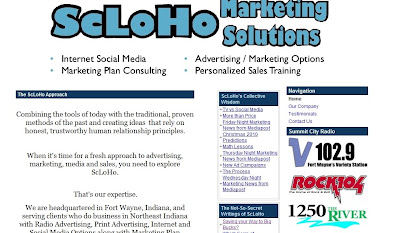
When you first go online after turning your computer on, you can decide what you want your Start page to look like.
I have my start page set to be the home page of my website. That's a safety precaution, because it means I can double check to make sure everything is loading properly.
But you might want to customize your start page, and here's a few ideas from the DLM blog:
6 Cool Startpages That Can Make You More Productive
Posted: 25 Jun 2010 07:17 AM PDT
 The purpose of a startpage is to save you time by making the best use of that first browser window you open when you are starting the day. While you could always set a preferred homepage that opens when you click the Internet Explorer or the Firefox icon on your desktop, a startpage provides a lot of different options and lets you check things like email, RSS feeds, news and much more without leaving that browser tab.
A well designed startpage could definitely make you more productive as you don't need to open separate windows to visit sites you need to everyday. This article talks about six such startpages. The list includes usual suspects like Netvibes and iGoogle, and some other little known but nice startpages that could enhance your productivity. Check them out.
Netvibes
Netvibes pioneered the startpage concept when it launched its service in 2005. And it continues to be the most well known, and probably the most used personalized dashboard platform till date.
The good thing about the tool is that it hasn't stayed the same. It has evolved with changing times, adopted AJAX based interface and now it is highly customizable, allowing you to configure it in a way that could make you productive. You could read feeds in real-time, add notes, check email and do much more, all from one page.
iGoogle
iGoogle is the usual suspect number 2 in this list, and is without a doubt the preferred startpage for millions of users around the world. Built by Google, it integrates well with Google services like Gmail, Google News, Google Reader etc, and has some innovative features like ability to store bookmarks, designing your own iGoogle gadget and more.
Check this page to know more about iGoogle customization.
Fav4
Fav4, as Lifehacker describes it, is a dead simple startpage (by the way, Lifehacker calls it "start page" instead of "startpage". Both the versions are correct though ). And that's exactly what makes it useful. It's minimalistic nature ensures that you focus on the four most important sites to begin your day with, and then move on to other tasks.
The site has no complex features. Simply add the sites you want, select the look and set it as the default browser page. While you can add many sites to the interface, I'd suggest you stick to the default view of 4 site icons. That'll definitely make you more productive.
Only2clicks
Only2clicks is another simple startpage, which, at the first glance looks like Chrome's default speed-dial startpage, but it isn't exactly the same. It has got more features, some of them really innovative. Like, it has a tabbed interface which allows you to add many more websites and not clutter it at the same time.
You could drag and drop icons, add default search icons, import and export bookmarks, create bookmarklets and quickly share a link (which is pretty good) through this tool.
Things To Do For Google Chrome
Things To Do is a brilliant startpage extension for Google Chrome. It's in fact a pretty cool GTD app. The concept is simple - your to-do list for the day will become your startpage. Your tasks are outlined in bold letters, and each time you open a new tab in Chrome, you'd be reminded of the tasks you need to complete.
You could of course customize the tool, rearrange the list, delete and add tasks. Overall, I think this startpage could be the best to-do list app if you use Chrome as your main browser.
Google Tasks
And last but not the least, we've got Google Tasks' standalone page which could be used as a startpage too. It's just this url - https://mail.google.com/tasks/
So what startpages you use? Share them in the comments.
Cheers,
Abhijeet
| Written on 6/25/2010 by Abhijeet Mukherjee. Abhijeet is a blogger and web publisher from India. He loves all things tech as long as it aids in productivity. He edits Guiding Tech, a blog that publishes useful guides, tutorials and tools. Check it out and subscribe to its feed if you like the site. You can also find him on Twitter. | Photo Credit: TexasDarkHorse |
Subscribe to:
Posts (Atom)